Referral links are the backbone of your referral program. They let you track exactly which people sent referrals to your site, and which of those referrals end up as new sales.
Below, we’ll cover how referral links work, how to create and track them, and how to set them up so sharing feels effortless for your customers (not like a chore).
For a quick run-down, check out our video:
What is a referral link?
Referral links are unique URLs used in a referral program to track and reward people for sharing a product or service.
Every advocate (existing customer, employee, partner or brand ambassador) who participates in the referral program receives a unique referral link, which traces that person’s referrals back to them.
Advocates send their referral links to invite friends to check out your brand. Referred friends can use the unique link to visit designated webpages you select, and hopefully purchase or sign up for your products or services.
If a referred friend becomes a new customer (or meets any other program requirement, such as requesting a demo or signing up for a trial), the link tracks a successful conversion, and the advocate gets a reward.
How referral links fit in a referral program
On the surface, a referral link looks like any other URL link. But instead of just leading to a specific landing page or home page, it also contains a unique identification code that tracks who the referral came from, as well as the referred lead’s movement across the site.
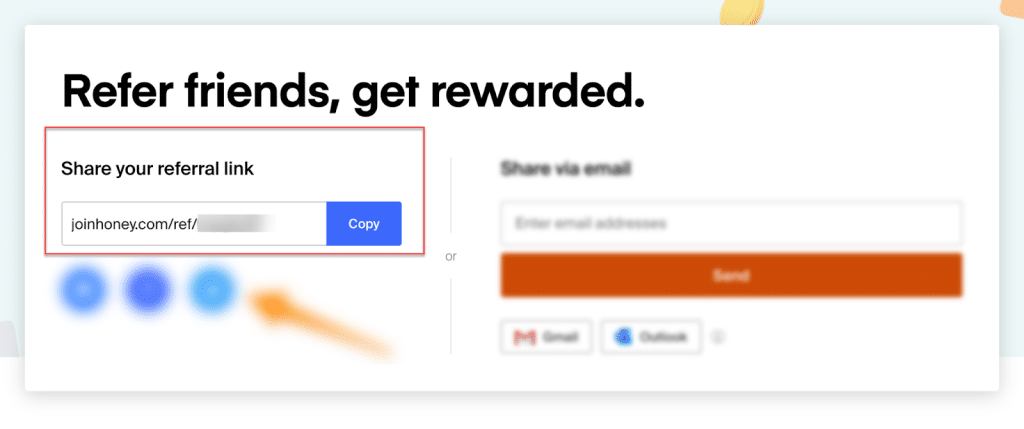
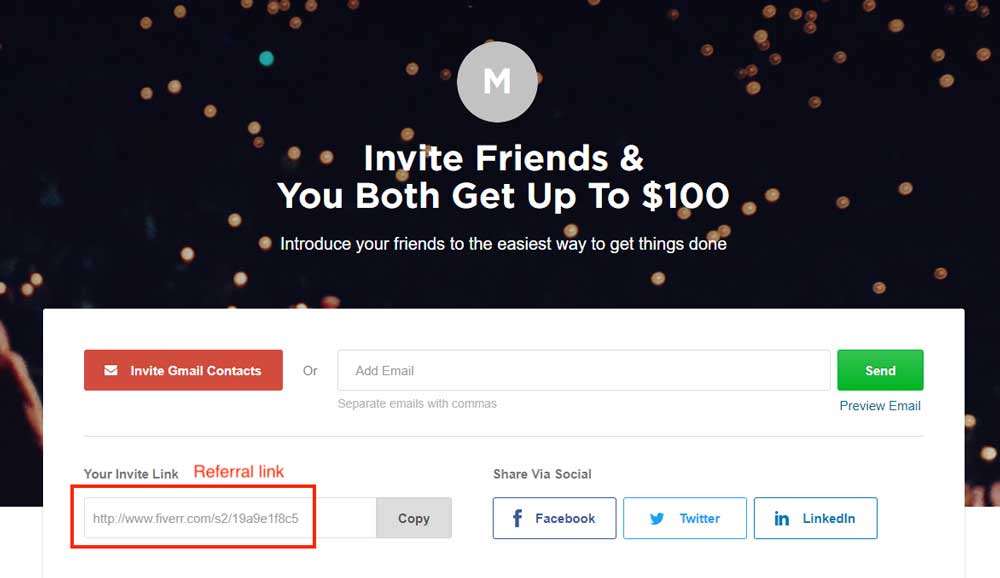
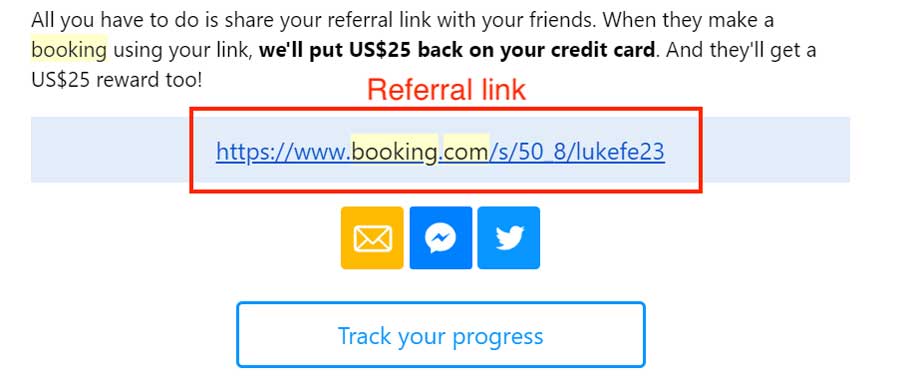
When people join a referral program, they are immediately assigned a personal referral link or invite link – their own unique URL, usually generated by referral program software.
They can then share the referral link with their friends, family, or anyone else they know who might benefit from the brand’s products or services. This link directs referred friends to specific webpages, where you can further share the benefits of your products or services with them. The link will also keep track of referrals, and activate rewards when those referrals are successful.
How does a referral link work?
Using a referral link is simple. All the advocate has to do is save their referral link and send it to a friend, family member, or anyone they want to refer. In fact, most people don’t even realize the number of steps that actually go into the referral process.
(If you want to generate referral links, look no further than our free referral link generator)
Step 1: Everyone gets a referral link
Give customers, employees, ambassadors, or partners their referral link as soon as they enter your program. Each link needs to contain a unique identifier, so you can track any referrals or sales that come from it.
Here’s the thing most programs get wrong: they make people fill out a form or create an account before they get a link. That’s an unnecessary barrier. The best programs give everyone a link by default. No signup form, no join button, no hoops. If someone is already your customer, they should already have a referral link ready to share.
Referral program software uses automation to assign links immediately and get your advocates ready to refer a friend. With Referral Rock’s Invite Emails and One Click Access emails, advocates can access their referral link right away, with no signup form or password needed.
Step 2: Advocates share their link
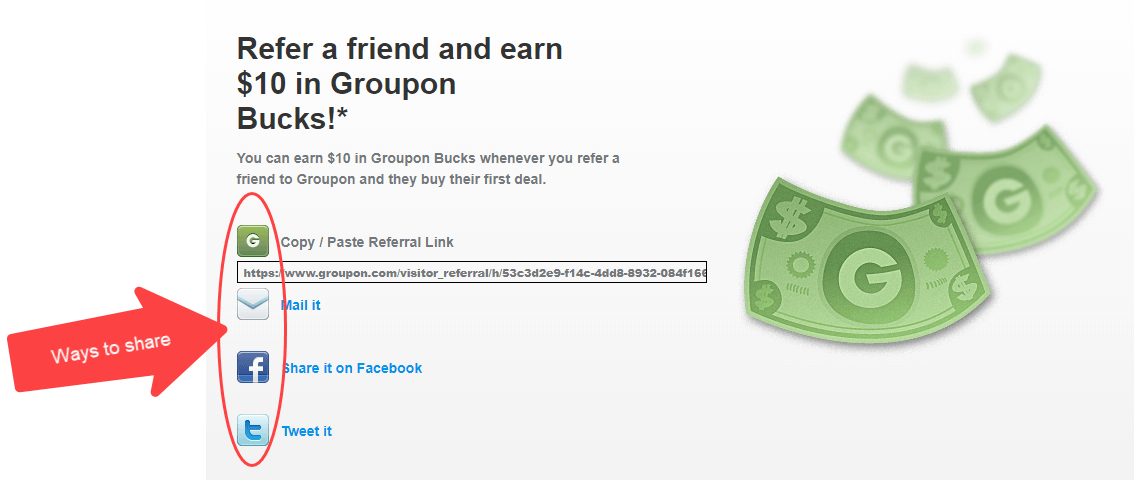
Once an advocate has their referral link, they can start sharing with others. The most common ways to send a referral link are through email, text message, or social media platforms (LinkedIn, Facebook, X). Sharing within private groups and chats, like WhatsApp or Facebook groups, is also popular.
Based on our data, advocates copy referral links to their clipboard (41%) and share via direct emails (21%) most often.
Make it easy for people to find and share their referral link. Provide them with sharing options like social media buttons or pre-written email templates. But don’t treat sharing as a one-time event. The programs that generate consistent referrals are the ones that promote the referral program continuously, not just at launch. Build referral touchpoints into post-purchase emails, service follow-ups, account dashboards, even email signatures.
If you’re using referral software, the sharing process is even easier. All an advocate has to do is select their preferred sharing option, and the referral link will be automatically added for them.
Step 3: A friend clicks and converts
This is the biggest step in the entire referral process: getting the referred person to click the referral link. Ideally, they’re already interested in the product or service.
A referral reward can help, but the framing matters more than the dollar amount. Think about it from the friend’s perspective. The best experience feels like getting a gift (“here’s something I think you’ll love, and you’ll get a discount”), not like being recruited into a sales funnel. When the sharer is giving their friend something valuable, people actually click.
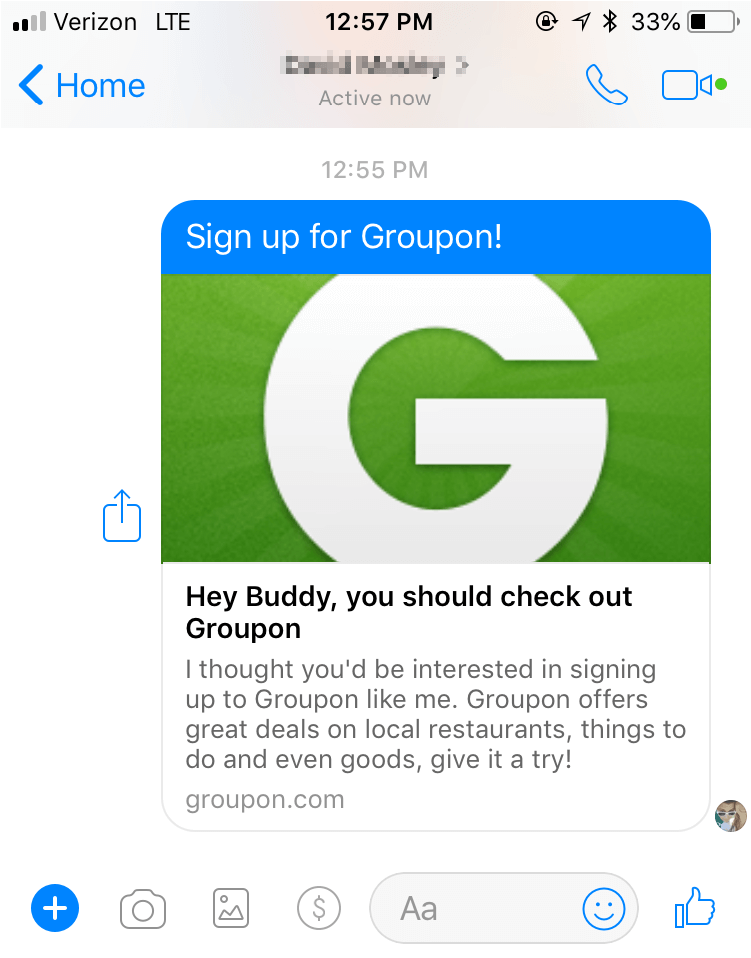
For example, if someone shares a referral link from their Facebook profile, the message might not show the actual link. Instead, the referral sees an associated image that directs them to the referral landing page.
Below is a referral link sent out for Groupon using Facebook Messenger. Whenever someone clicks on the message, they’re actually clicking on a referral link without even knowing it. If the person ends up making a purchase, the referral link ties that purchase back to the referring customer, applies any coupon you’ve offered during the checkout process, and credits them for their friend’s purchase.
Referral link example: How it looks in practice
Check out what happens when advocate Anna shares Omsom, one of her favorite brands, with her friend Rex.
Anna loves Omsom’s bold flavor packets for authentic Asian home-cooked meals. She figures her friend Rex would enjoy them too, because he has a similar taste in food and loves to cook. She joins the company’s referral program, and the rewards on offer ($5 towards Omsom for each of them if Rex makes a purchase) frame the referral as a gift for both of them.
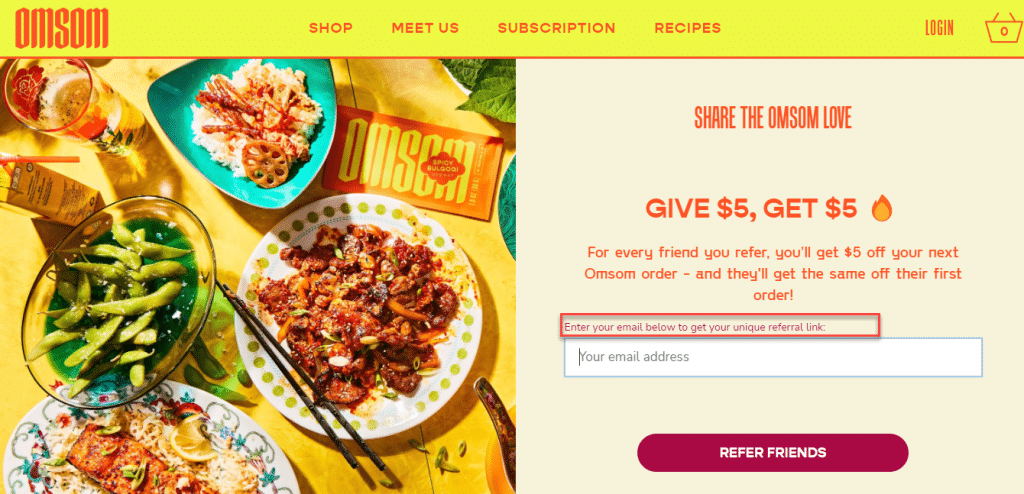
Anna gets a unique referral link and sends it to Rex via email. Rex sees he’ll get $5 off his first Omsom packets if he follows Anna’s link.

He clicks the link and starts browsing. The referral link’s tracking is active, ready to tie any purchase back to Anna.
Rex spots the Korean Spicy Bulgogi packets, makes a purchase, and receives the discount.


The referral link’s tracking communicates with Omsom’s referral software and gives Anna the credit for bringing in Rex. Anna receives a $5 off reward for her next purchase. It’s a win-win-win: both friends get discounts, and Omsom gets a new customer they can trace back to Anna.
Referral links vs. referral codes
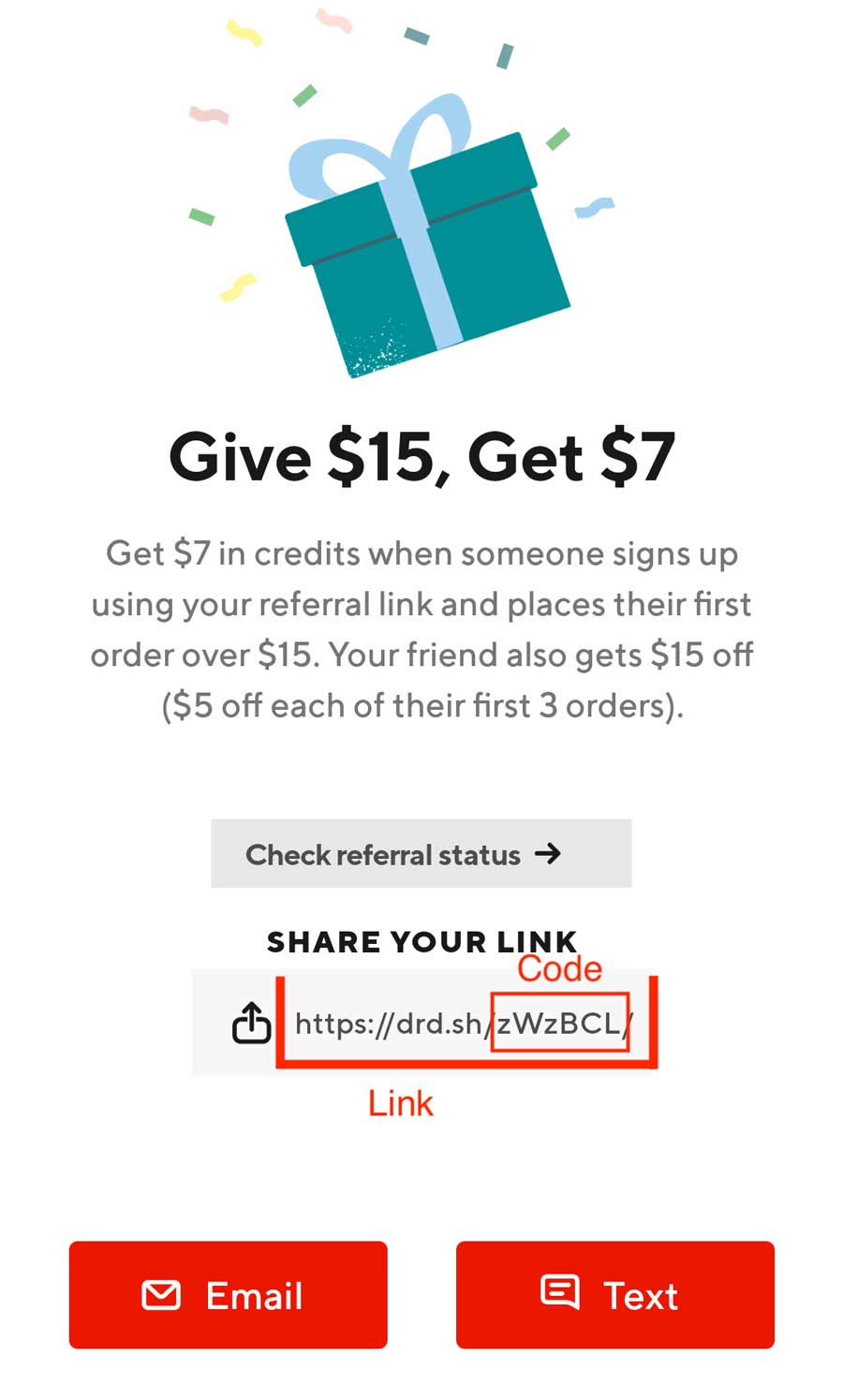
A referral link contains the URL of the page a referred friend will be brought to, plus a unique referral code that holds all the identifying information of the referring advocate.
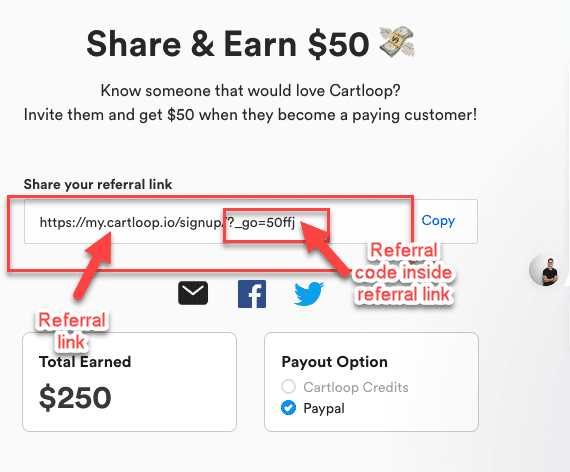
So, referral links are similar to referral codes, but links are more powerful. The URL element allows for features and benefits you can’t achieve with just a code.
Referral codes let you run a basic referral program with simple tracking. Referral links take it further:
- Instant sharing. Advocates can share links over social media, email, text, via QR codes, or anywhere you can paste a URL.
- Accurate attribution. The unique URL and tracking features mean you always know who sent the referral and when they earn the rewards.
- Personalized experience. You can send people to a page with a personalized message, drive people to different landing pages based on the person referring, or change where the link goes after it’s already been shared.
- Engagement insights. Referral links give you data on how referred leads engage with your business, including behavior, site activity, and returning vs. first-time visits.
How to create a referral link
There are four ways to create referral links:
- Manually: You could create referral links using your own website. But be careful, as this requires you to change your domain settings and setup new links.
- Use a Free URL shortener (like bit.ly) to create and manage links.
- Use Referral Rock’s Free Referral Link Generator. Our generator lets you easily set your link destination and add unique identifying information for each advocate.
- Use a dedicated referral software, such as Referral Rock. This is the easiest way to create referral links. Software automatically generates a unique referral link for every advocate, with the parameters to track referrals already in place. No coding needed! Whenever someone makes a purchase (or becomes a qualified lead) via a referral link, the software registers that, and automatically pays out the referral rewards.
Automating referral links with software saves you considerable time and effort. The other three options won’t give you the advanced features of referral software, but they can work well if you’re just getting started or only need a few links.
How to track referral links
Referral links contain information that attributes a referral back to the advocate who sent it, but that’s not enough to track referrals on its own. You’ll need to set up parameters to track the referral link.
Manually tracking referral links.
If you create links manually or with a link generator tool, you’ll need to set up referral tracking and attribution on your own.
Manually creating referral links can be done using your own website, by creating a unique URL for each referring customer. You’ll need to be careful, as this requires you to change your domain settings and set up new links. Still, if you only have a few links, then this is relatively easy to manage manually. You need to:
- Create a referral link for each person
- Send it to a tailored landing page (one page per link, so referrals get attributed to the right person)
- Set up tracking so leads coming from that page count as referrals
Manual tracking can be done via Google Analytics, a form you have referrals complete, or a cookie system.
Referral Rock’s Free Referral Link Generator is the easiest way to set up referral links manually. Our generator lets you easily set your link destination and add unique identifying information for each advocate. Then, track who uses referral links with our Referral Tracking Spreadsheet and the form you direct referrals to.
Automated referral link tracking
As your program scales, it may become difficult to create large amounts of referral links manually, and immediately reward each person when they make a successful referral. It’s also challenging to manually track qualified leads and sales that come through referral links, if your business would like to go this route. Even with the help of developers, figuring this out generally takes months, and tends to be costly.
An easier way is to let referral software automatically create and track referral links. Referral software generates a unique referral link for every advocate, with the parameters to track referrals already in place.
These automated referral links can send people to the same form or checkout page and properly credit the person referring, with no need to manually create separate pages for each link. Whenever someone makes a purchase (or becomes a qualified lead) via a referral link, the software registers that referral, and instantly pays out the rewards to the right person.
For the most streamlined experience, you’ll need a referral software that integrates with your existing tools and proceses, including your CRM and/or e-commerce platform. That way, the tracking data from the links can move seamlessly through your sales and marketing funnels.
Referral Rock software has the most complete referral tracking features. Use our referral links to track all the activity in your program, from member engagement to referral website visits, and reward advocates for both qualified leads and sales. Set up your program in days, not months. Here’s how it works >
Referral link FAQ
Still have questions about referral links? Or, still on the fence about whether you should use them? Our FAQ will help you out.
What channels can advocates use to share referral links?
Advocates can share referral links nearly anywhere, including via email, SMS, WhatsApp and social media (such as Facebook, LinkedIn, and X). They can also copy the referral link directly, and share it wherever they want.
What’s the difference between a referral link and an affiliate link?
Fundamentally, referral links and affiliate links work the same way. Both referral links and affiliate links track purchases that result from word of mouth. And both are unique URLs that attribute new leads or customers to the advocate who sent them.
However, the difference lies in the people each type of link is shared with.
Generally, advocates use referral links to share a brand with people they know, such as friends and family. In contrast, most of the people who click on an affiliate link aren’t people the affiliate knows personally. As part of an affiliate program, content creators will place an affiliate link on their own channels (say, their website, blog, or social platforms), and anyone who visits an affiliate’s channels can follow the affiliate link.
Make referral links work for your program
A referral link is just a URL, but how you set it up determines whether your program gains traction or stalls out. Three things make the difference:
- Give everyone a link by default. Don’t make people sign up or fill out forms to participate. If they’re your customer, they should already have a link ready to share.
- Frame sharing as a gift. When your advocates share their link, the experience should feel like giving a friend something valuable, not recruiting them into a funnel.
- Build sharing into your operations. Don’t launch and hope. Weave referral touchpoints into every stage of your customer experience, so sharing happens continuously.
The programs that generate consistent referrals treat them as ongoing operations, not one-time campaigns. Referral links are the mechanism. The system around them is what makes it work.
Ready to set up referral links that track and reward automatically? Start your free referral program with Referral Rock.