
HubSpot Referral Program Integration
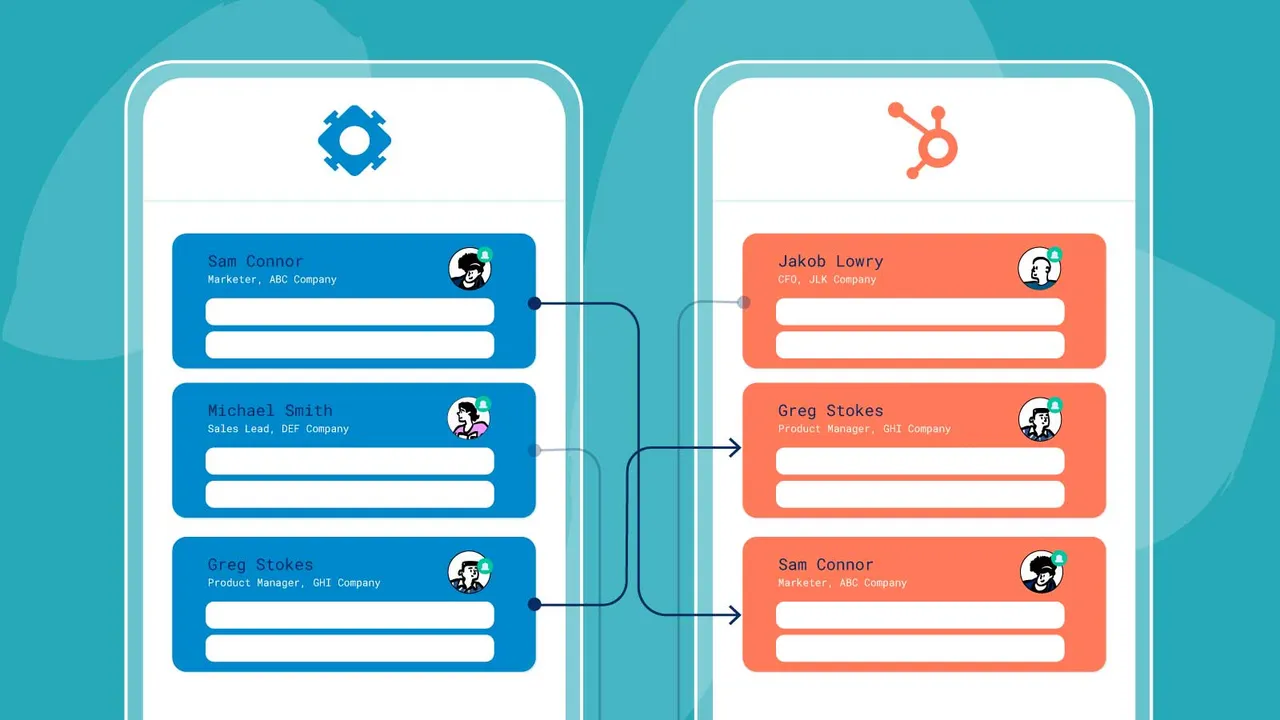
Referrals land in HubSpot as Contacts, and a Closed Won deal approves the reward. A native two-way sync, certified by HubSpot.
About our HubSpot referral integration
Referral Rock is referral program software for businesses with teams. Referral Rock integrates with HubSpot through a native two-way sync, as a HubSpot Certified App.

HubSpot
- • A HubSpot account
- • A HubSpot user with App Marketplace access

Watch: how to run a referral program in HubSpot
How HubSpot connects to Referral Rock
-
A customer refers a friend
Through a personal referral link, the member portal, or a sales rep who asks at the right moment.
-
The referral lands in HubSpot
Referral Rock adds the friend as a HubSpot Contact, with who referred the friend, the program and the source.
-
Your team works the deal
Sales follows up in HubSpot like any other lead. Nobody switches tools.
-
Closed Won approves the reward
The deal stage you pick approves the matching referral, the reward goes out, and the new customer can join the program.
- How the integration connects
- A native two-way sync. Referral Rock is a HubSpot Certified App.
- Referral Rock sends to HubSpot
- Members and new referrals, as Contacts. Each Contact gets a Referral Rock property group: share link, referral code, portal link, referral and reward totals, and the referral program recruiter behind the member.
- HubSpot sends to Referral Rock
- Changes to the Contact, Company or Deal properties you pick. A change can approve, qualify or deny the matching referral (up to 3 approve, 2 qualify and 2 deny rules).
- How records match
- By email address, or by an External ID such as your internal user ID, a phone number or an order ID.
- What the integration doesn't touch
- Existing HubSpot properties such as name and email. Referral Rock writes only to the Referral Rock properties.
- How fast the sync runs
- Not instantly. Updates go out when a referral is added or a referral's status changes. A deal updates a referral only when the referral's Contact is associated with the deal.
When teams use HubSpot with a referral program
B2B companies
A referred lead turns into a closed deal
The referral arrives in HubSpot as a Contact, marked with the customer who sent the lead. Sales works the deal as usual, and Closed Won approves the referral. The reward goes out without anyone checking a spreadsheet.
Sales and service teams
A rep asks a happy customer for a referral
Reps act as referral program recruiters with personal referral links. Every referral a rep brings in carries the rep's name into HubSpot, and the rep can be set as the Contact owner.
Service businesses
Only finished jobs earn a reward
Approve a referral when a property says the work is done, such as "Installation Date exists", or only when the deal amount is over $5,000. Smaller or unfinished deals wait.
Marketing teams
Your HubSpot emails invite customers to refer
Put each customer's one-click access link in HubSpot emails. Referral totals sync to each Contact, so you can segment top referrers and send top referrers progress updates.
Setting up Referral Rock with HubSpot
- 1
Connect your HubSpot account
YouConnect HubSpot from the Integrations page in Referral Rock. The HubSpot user who connects needs the App Marketplace access permission.
- 2
Turn on Member Sync and Referral Routing
YouSet both up for each program: Member Sync puts each member's referral data on the member's Contact, and Referral Routing adds new referrals to HubSpot as Contacts.
- 3
Pick the HubSpot changes that approve referrals
YouChoose the property changes that approve, qualify or deny a referral, such as Deal stage is Closed Won or Lifecycle stage is Opportunity. These rules apply to all programs.
- 4
Your advisor checks the setup with you
Our teamYour program advisor helps you pick the deal stages that should trigger rewards and makes sure referrals and Contacts sync the way you expect.
Full steps: the HubSpot setup guide.
See a referral flow built based on your business
Give us your website. Our team builds you a referral flow from it, styled to your brand.
Yours to keep. No sales call.
How it works
- 1 We build a referral flow from your website, styled to your brand
- 2 We send you a link to preview it
- 3 See the experience you'd send your customers
HubSpot referral integration FAQs
Through a native two-way sync. Referral Rock is a HubSpot Certified App.
Members and new referrals go to HubSpot as Contacts, with the referral data in Referral Rock's own property groups. Changes to the Contact, Company or Deal properties you pick come back and update the matching referral.
Connect HubSpot from the Integrations page in Referral Rock, turn on Member Sync and Referral Routing, and pick the deal stage that approves a referral, such as Closed Won. Referrals then land in HubSpot as Contacts, and a won deal sends the reward.
Referral Rock is referral program software for businesses with teams. An advisor sets up your program with you on every plan, with no setup fee.
No. Referral Rock never changes existing HubSpot properties such as name or email. The integration adds Referral Rock property groups to each Contact and writes only to those groups.
Custom fields collected in Referral Rock can also be mapped to HubSpot Contact properties you choose.
Yes. Pick the Contact, Company or Deal property change that approves a referral, for example Deal stage is Closed Won or Lifecycle stage is Opportunity. Conditions can also check whether a property exists, or whether an amount is over or under a number.
When the change happens on a deal associated with the referral's Contact, the referral is approved and the reward goes out.
Once the HubSpot integration is connected, referrals, member data and approvals sync without anyone exporting or importing. Updates aren't instant: Referral Rock updates HubSpot when a referral is added or a referral's status changes.
For a deal to approve a referral, the referral's Contact has to be associated with the deal in HubSpot.
Yes. Reps act as referral program recruiters, with personal referral links to hand to happy customers at the close of a deal or after a great support call.
Each referral carries the recruiting rep into HubSpot, and the rep can be set as the Contact owner. Managers see which reps bring in referrals.
HubSpot keeps your Contacts and deals. Referral Rock runs the referral program around your Contacts and deals: a member portal where each customer gets a personal referral link, tracking of who referred whom, and rewards such as gift cards and cash payouts.
The HubSpot integration keeps both in sync, so your team stays in HubSpot.
What customers say about our HubSpot integration
“The integration with HubSpot was seamless, and it has tracking, rewards, emails, and campaigns all in one place!”
Nate W., Real Estate
“Unlike anything on the market, at a price point that made it a no-brainer.”
Julia, Health & Fitness
“We use it to input referral customers into HubSpot and track reward obligations tied to deal closure.”
Dave M., Public Safety
Need help setting up?
Every Referral Rock plan includes onboarding help. Our team will help you configure the HubSpot integration and make sure everything is working perfectly. View the setup guide
Connect your favorite tools
50+ integrations to easily connect your tools and teams.











Customer reviews
Referral Rock + HubSpot, in their words
Referral Rock is a game-changer for businesses seeking to harness the power of referrals
Referral Rock is a game-changer for businesses seeking to harness the power of referrals. Its intuitive platform simplifies the management of referral programs, making it effortless for both…
Oscar P.
Marketing Tech Manager, PropHero
Referral Rock support has been great
Referral Rock support has been great. Our support person has answered all questions in a quick and timely manner and has really been able to help us make changes and understand how to use th…
Emilie M.
Affiliate Marketing Manager, Faithful Platform
Ready to connect HubSpot?
Start your free trial and set up the integration. No credit card required.
Not ready to talk? See a free referral flow →